 Fall 2026
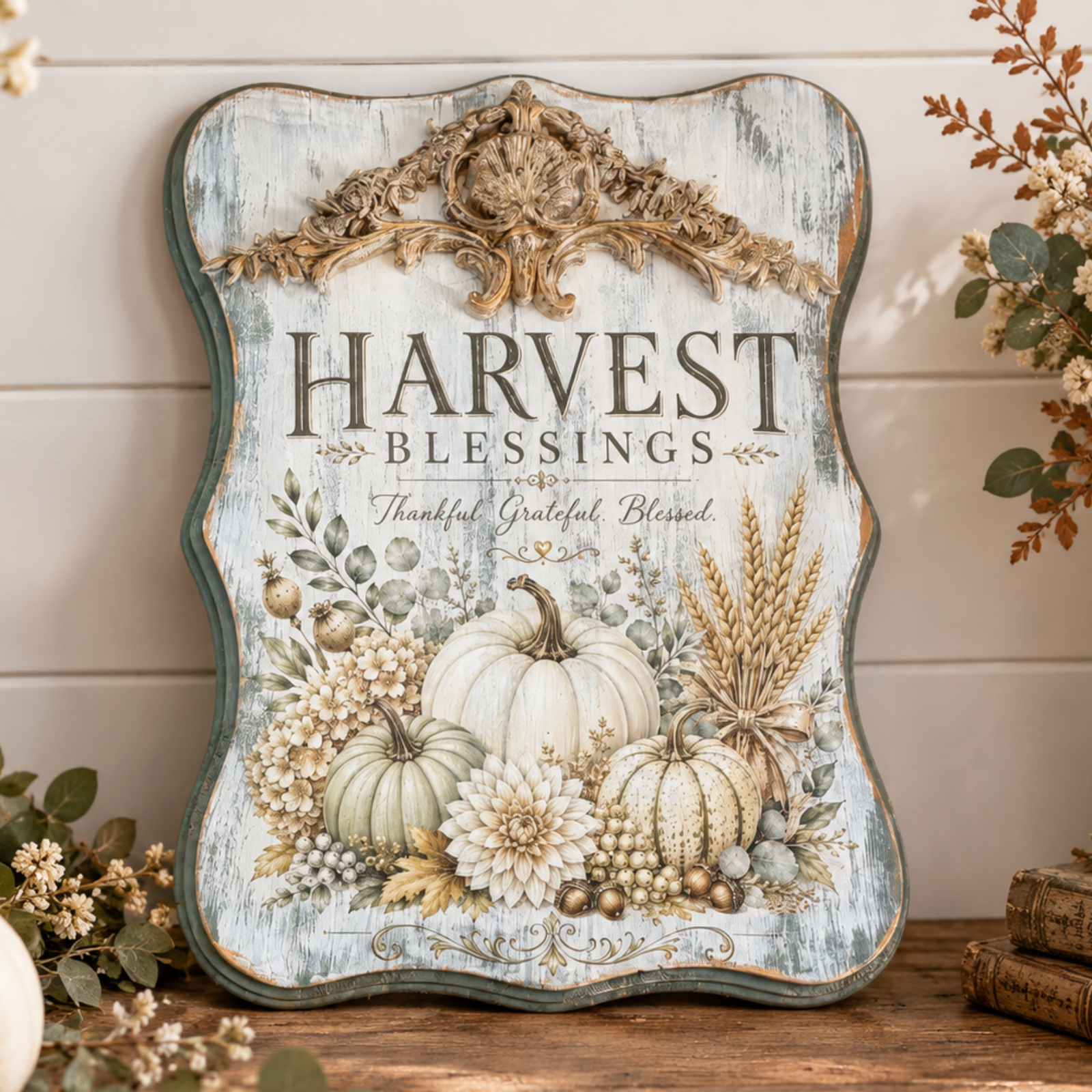
 🍂 Harvest Blessing: A Vintage-Inspired Plaque with a Touch of Golden Glow
Featuring Melissa Bradshaw
Give a simple wood plaque a beautiful autumn makeover with the Harvest Blessing Transfer! Layer distressed ...


Happy Friday crafting! In this tutorial-inspired project, we’re creating a charming carrot-themed rolling pin using stencil designs. This piece is perfect as seasonal décor or a thoughtful handmade gift, and it’s beginner-friendly while still being fun for experienced makers.
This project was inspired by Melissa Bradshaw of Junk and Craft Treasures, who shared this live tutorial using Essential Stencil designs and techniques.
Start with a clean, dry wooden rolling pin to ensure paint and stain adhere properly.

Apply wood stain to both handles and the sides of the rolling pin. Wipe away any excess using a shop towel to achieve a smooth, even finish.

Paint the main body of the rolling pin with white acrylic paint. Allow it to dry completely, then apply a second coat if needed for fuller coverage.

Once the paint is fully dry, lightly sand the rolling pin to create a smooth surface for stenciling.

Secure the bonus stencil from the Carrot Pattern Stencil onto the rolling pin using painter’s tape.
Using a mini stencil brush from the Mini Stencil Brush Set, begin by filling in the green carrot tops.

Next, use another mini brush to apply orange paint for the carrots. Carefully lift and reposition the stencil, repeating the pattern until the entire rolling pin is covered.

Pro Tip: Use light paint layers and offload your brush before applying. This helps prevent bleed-through and keeps your stencil lines crisp.
Once complete, step back and admire your finished carrot rolling pin! This piece adds a fun, seasonal touch to any kitchen or spring display.

This carrot rolling pin project is a simple yet impactful way to celebrate spring décor. With just a few tools and a stencil, you can transform a basic wooden piece into something truly eye-catching.
Want to see exactly how it all comes together? Watch the full step-by-step tutorial below!
Ready for your next project? Explore Essential Stencil collections to find more seasonal designs and start creating today.
Fall 2026 Featuring Melissa Bradshaw

 Fall 2026
 Featuring Cindy Berry